


Beat Tiles: Music Game
4.6149.00 Reviews
App Specs
- Version
- 1.4.2
- Updated On
- License
- Free
- Downloads
- 100,000+
- Developer
- Cadenverse
- Categories
- Music
- Platform
- Android
Screenshots


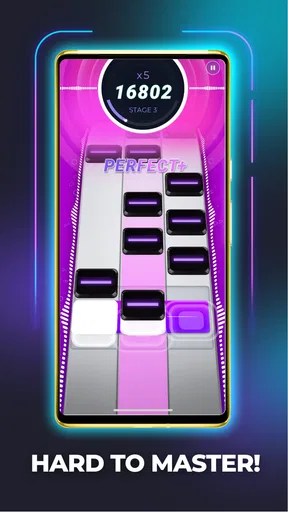
 Analysis by AppCompare
I often judge a rhythm game by whether it works for a quick turn as well as a longer session, and Beat Tiles: Music Game has an easy appeal for both. It is a music game from Cadenverse, built around matching taps to a soundtrack. I’d consider it for a shared tablet or a spare moment on my phone, with one caveat: a game that depends on timing is most enjoyable when the player has a little quiet and room to focus.
How It Fits a Shared Routine
In a household, the clearest way to share a rhythm game is to take turns rather than hand around a device mid-song. One person can play a track, then pass the phone or tablet to the next person. That keeps the session simple and avoids confusion about whose turn it is. I’d agree on a short stopping point before starting, especially if someone is waiting: songs and challenges can make “one more try” tempting.
The game is free to install, while in-app purchases range from $5.99 to $39.99 per item. That matters more on a device used by several people than on a personal phone. I’d check the purchase settings on the device and make sure everyone who uses it knows that optional purchases may be offered. This is a practical boundary, not a reason to avoid the game; it just prevents a casual turn from becoming an unexpected spending decision.
For a shared device, it also helps to decide whether players are simply taking turns or whether each person wants to keep track of their own progress. I would not assume a shared screen automatically means separate personal progress. If that distinction matters to your household, check how the game behaves on the device before making it the center of a family competition. A low-pressure rotation works regardless: each person gets a go, and nobody needs to treat a score as a permanent record.
A Small Game for Short Breaks
The tile-tapping premise suits brief, focused sessions better than a noisy room full of interruptions. I can picture playing while waiting for a meal to finish, or during a quiet break when I want something more involving than scrolling but don’t have time to settle into a long game. The useful trick is to treat each attempt as a complete little activity: choose a song, concentrate through it, then decide whether to stop or try again. That makes the game easier to fit around chores and conversations.
It is less suited to moments when I need to keep one ear on a conversation or supervise something else. Rhythm play asks for attention at exactly the point when distraction can spoil a run. If someone in the room wants to listen to the music too, headphones may be considerate, but I would keep the volume comfortable and remain aware of what is happening around me. For a commute, I’d also think about whether the player can safely look at the screen; this is not a game to play while walking through a busy area or doing anything that needs both hands.
Setup, Progress, and Household Coordination
The game is listed for Android and iOS, and its minimum Android requirement is version 7.0. Its current version is 1.3.6. Before installing on an older household device, I’d check the operating system rather than assume that any phone or tablet will run it. Once it is installed, the approachable interface should make it easy for a new player to understand the basic action without someone else having to explain a complicated control scheme.
Worth Reading Before You Choose

EA SPORTS FC Mobile 26 Is a Bigger Football Game, but It Takes Time

Flipboard Shows What News Apps Must Do Beyond the Feed

Switching to Android Auto Means Rethinking Your Driving Routine

Google Calendar Makes a Crowded Week Easier to Manage

Ludo King Makes the Most of the Minutes Between Plans

Baby Panda World Brings Quick Play to Modern Phones, but Its Game Library Feels Busy
When several people want to play, a simple rotation is more useful than trying to coordinate a tournament. Agree on a song or a number of turns, then let each person play without pressure to beat the previous score. Leaderboards can add a competitive element, but they are not the best measure of whether everyone is enjoying a shared session. A younger or less experienced player may have more fun learning the timing than comparing results with someone who has already played repeatedly.
There is also a practical difference between playing alone and taking turns in a group: people may have different tolerance for repetition. One person may want to repeat a difficult section, while another would rather sample another track. I’d set a friendly limit on retries when sharing the device, then return to a challenging song later if the player wants to practise. That keeps the session moving without turning practice into a contest over who gets control of the screen.
Age, Trust, and Expectations
The content rating is Everyone, which makes the game broadly suitable for a general audience. Still, an age rating does not settle every household question. I’d explain the optional purchase range to a child before handing over a device and make sure they know to ask before buying anything. On a family phone or tablet, the person responsible for the device should review purchase settings and make the rules clear rather than relying on the game itself to manage them.
The game has an average rating of 4.6 from around 1.1 thousand ratings, alongside about 117 written reviews, and has passed 100 thousand installs. Those figures suggest that it has found an audience, but they cannot tell me whether a particular child will enjoy the music, pacing, or challenge. I’d let a new player try a short session and watch how they respond: some people love repeating a pattern until it clicks, while others would rather have a game with more exploration and less emphasis on timing.
For adults sharing a device with children, the best approach is to keep account and payment expectations separate from the fun of the game. A child can take a turn without being given permission to make purchases, and an adult can enjoy the challenge without needing to turn every score into a household ranking. That distinction makes shared play easier to manage and reduces the chance that a casual game session becomes a disagreement about spending or competition.
Who Will Enjoy the Rhythm Challenge
I’d recommend it most to people who like responsive, music-led play and enjoy practising a pattern until their timing improves. It can also work well for a household with different ages if everyone is happy taking turns and treating the score as part of the challenge rather than a verdict on skill. The game’s music focus gives it a different feel from a word puzzle or a casual matching game: the player is listening and reacting, not just planning a move at their own pace.
That difference is also a reason some people should skip it. If you want to play without sound, dislike tapping quickly, or prefer a game that pauses naturally whenever you look away, this is unlikely to be the most comfortable choice. A turn-based puzzle is a better fit for interrupted sessions, while a music-listening app is better if the main goal is to enjoy songs without responding to the screen. This one asks the player to participate actively, and that is its appeal as well as its limitation.
Compared with other rhythm games, the appeal here is the straightforward tile-and-beat idea: it is easy to understand, so a first-time player can get into the action quickly. The trade-off is that anyone looking for a deeper music-making tool, extensive customization, or a relaxed listening experience should look elsewhere. I’d choose it for a focused burst of timing practice, not as a replacement for a music player or a more elaborate rhythm title.
Getting in Tune with the Basics
First off, let's talk about the setup. Beat Tiles: Music Game is available on both Android and iOS, making it super accessible no matter what device you’re rocking. The download and installation process is a breeze, so you’ll be grooving to the beats in no time.
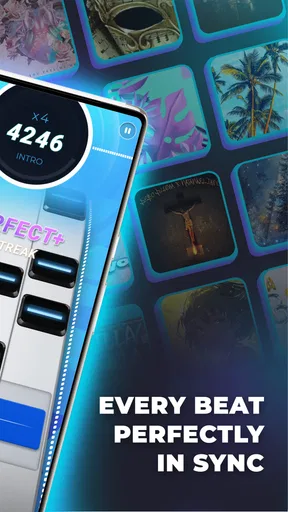
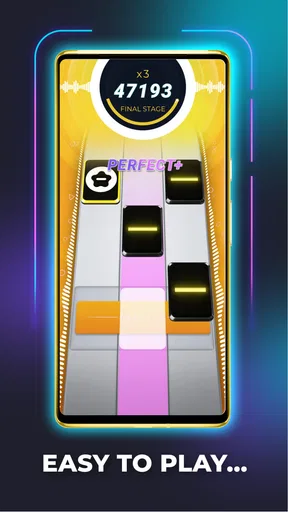
Once you're in, the game greets you with a vibrant and colorful interface that’s both inviting and user-friendly. You don’t have to be a tech wizard to navigate through it, which is always a plus in my book. The premise is straightforward: tap on the tiles as they appear in sync with the music. Sounds simple, right? Well, it’s easier said than done!
The Gameplay Experience
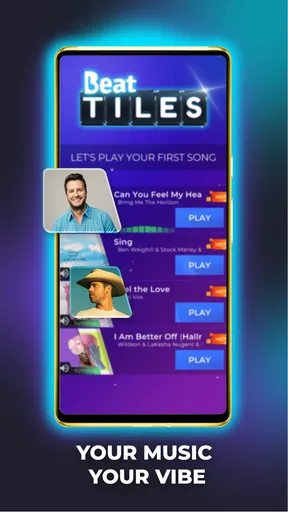
Now, let’s talk gameplay. The core of Beat Tiles: Music Game is its vast music library. Whether you’re a fan of pop, rock, or even classical tunes, there’s something here to get your fingers moving. Each song comes with its unique set of challenges, which keeps things fresh and exciting.
As you progress, the game ramps up the difficulty. It starts off gently, letting you get the hang of it, but don’t be fooled. Soon enough, you’ll find yourself frantically tapping away, trying to keep up with the increasingly complex patterns. Trust me, it’s addictive in the best way possible.
Visuals and Sound
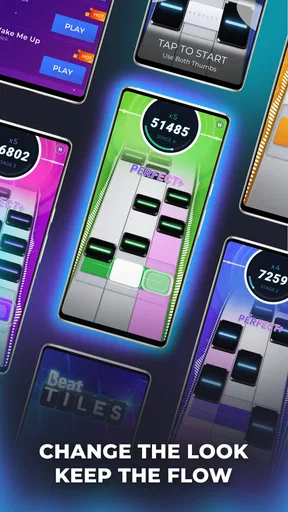
I can’t talk about a music game without mentioning the visuals and sound quality. The graphics are sleek, with a dynamic color scheme that changes with the beat, enhancing the overall experience. It’s visually satisfying, and the animations are smooth, which is crucial for maintaining that all-important rhythm.
As for the sound quality, it’s top-notch. The tracks are crisp and clear, making it easy to lose yourself in the music. The game also does a fantastic job of syncing the tiles with the beat, providing a seamless musical journey. You’ll find yourself bobbing your head and tapping your feet along with the rhythm.
Challenges and Rewards
One of the things I love about Beat Tiles: Music Game is the sense of accomplishment it offers. The game incorporates a rewarding system that keeps you hooked. Completing levels unlocks new songs and features, giving you a sense of progression and achievement.
Additionally, there are daily challenges and leaderboards to keep you engaged. Competing with friends or players worldwide adds a competitive edge, making you want to improve your skills and climb the ranks. It’s the perfect blend of fun and challenge.
Final Thoughts
So, what’s the final verdict? Well, if you’re into rhythm games, Beat Tiles: Music Game is a fantastic addition to your app collection. It offers a satisfying mix of music, challenge, and visual appeal. Whether you’re looking to kill some time or hone your rhythmic skills, this game has got you covered.
Remember to keep your fingers nimble and your ears attuned to the beat. Who knows? You might just discover your hidden talent for rhythm games. So go ahead and give it a spin; you might find yourself tapping along to the beat more often than you’d expect!
Ready to dive into the world of beats and tiles? Download it now and start your musical journey!
Pros
- Engaging rhythm-based gameplay.
- Wide variety of music tracks.
- Intuitive controls for all ages.
- Visually appealing graphics.
- Regular updates with new content.
Cons
- Ads can interrupt gameplay.
- Limited offline play options.
- Occasional lag on older devices.
- In-app purchases can be pricey.
- Complex songs may frustrate beginners.
FAQs for Beat Tiles: Music Game
What is Beat Tiles: Music Game?
Beat Tiles: Music Game is a rhythm-based mobile game where players tap on tiles in sync with the music. The game offers a variety of songs across different genres and challenges players to maintain accuracy and timing. It's designed to be both entertaining and challenging, appealing to music lovers and rhythm game enthusiasts alike.
Is Beat Tiles: Music Game free to download and play?
Yes, Beat Tiles: Music Game is free to download and play on both Android and iOS platforms. However, it may contain in-app purchases and ads. These purchases typically include additional songs, features, or ad removal options to enhance the gaming experience. Always check the app store details for the latest information on pricing.
What are the key features of Beat Tiles: Music Game?
The game boasts a wide selection of music tracks across various genres, customizable themes, and competitive leaderboards. Players can enjoy a visually engaging experience with dynamic tile animations that match the rhythm. Regular updates often introduce new songs and features, ensuring that the game remains fresh and exciting.
Does Beat Tiles: Music Game require an internet connection?
While Beat Tiles: Music Game can be played offline, some features, such as downloading new songs or accessing leaderboards, require an internet connection. Playing offline allows for a basic experience, but connecting online ensures access to the full range of features and up-to-date content.
How does Beat Tiles: Music Game handle user data and privacy?
The app typically collects basic user data to enhance gameplay and provide personalized experiences. This may include device information and gameplay statistics. Users should review the app's privacy policy to understand how their data is managed and ensure their privacy preferences are respected. Always stay informed about updates to the app's terms and conditions.


